
Most people who go looking for managed IT services don't work in IT.
They're the operations manager who has watched the line stop three times this quarter because something on the network went down. The facilities director who inherited a server closet nobody has documented since 2019. The plant manager whose second shift has no one to call at 11pm. The controller who just got a cyber insurance renewal questionnaire asking about endpoint detection and multi-factor authentication and has no idea how to answer it.
If you're an IT director or IT manager, you're here for a different reason: you already know what managed services are. You're trying to work out what a provider would actually take off your plate, and whether that means someone is angling to replace your team.
This guide answers both versions of the question. What managed IT services are, what's included, what they cost, how the model works in a plant or a warehouse specifically, and how to tell whether your business has reached the point where it needs them.
Managed IT services are the ongoing management of a company's technology — monitoring, maintenance, security, updates, and user support — handled by an outside provider for a predictable monthly fee.
The distinction that matters: you are not buying a phone number to call when something breaks. You are hiring a team whose job is to keep things from breaking, and who gets paid the same whether your week was quiet or catastrophic.
A managed service provider, or MSP, is the company delivering those services. CompTIA, the industry's trade association, defines managed services as the practice of outsourcing responsibility for maintaining and anticipating the need for a range of processes and functions — the operative word being anticipating.
An MSP typically takes ownership of a defined scope of your technology: some combination of your network, your servers, your endpoints, your security tooling, your backups, and your end-user support. What's in scope and what isn't gets written down in an agreement, which is the part most businesses skim and later wish they hadn't.
"IT support" usually describes the act of fixing something. Managed IT services describe a relationship that includes fixing things, but also includes the work that means fewer things need fixing: patching, monitoring, hardware lifecycle planning, security maintenance, and documentation.
A useful test: if your current arrangement means nobody looks at your network unless you call, you have IT support. If somebody is looking at it right now, whether you called or not, you have managed services.
Everything starts with scope. A managed services agreement defines which systems are covered, what coverage hours apply, what counts as included support versus a billable project, and what response commitments the provider is making.
For a multi-shift operation this is where quotes quietly diverge. An agreement written for a 9-to-5 office and an agreement written for a plant running two shifts and a weekend crew look nothing alike, and they shouldn't cost the same.
The first weeks are discovery. A provider inventories what you have, maps how it connects, identifies what's unsupported or past end of life, and documents all of it.
For manufacturers and distributors this stage tends to be revealing. Most plants we encounter do not have an accurate diagram of what lives on the floor network. There are switches in unlabeled cabinets, machines with embedded PCs running operating systems nobody has updated in years, and vendor remote-access tools that were set up during a commissioning project and never turned off. Undocumented, a two-hour outage becomes a two-day one.
Then the work becomes routine, which is the point. Monitoring runs continuously and generates alerts. Patches go out on a schedule. Tickets come in and get worked. Backups run and get tested. Someone reviews the whole picture with you periodically and tells you what's aging out and what needs budget.
Under an hourly arrangement, a provider's revenue rises when your systems fail. That isn't an accusation about anyone's character; it's arithmetic. Under a fixed monthly fee, the provider absorbs the cost of your emergencies, so preventing them becomes the profitable strategy.
That single structural difference drives most of what follows. We compare the two models in detail here.
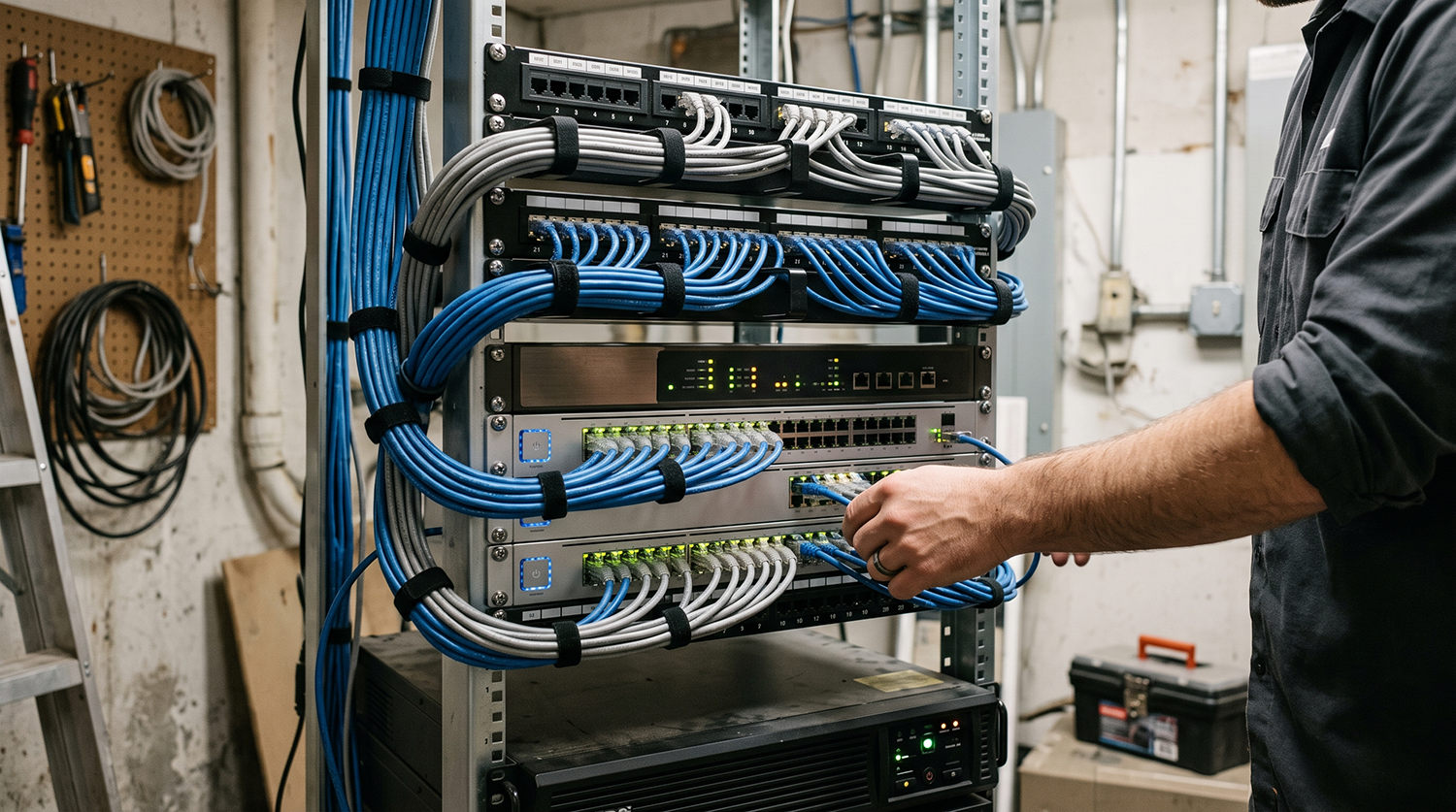
Scope varies between providers. These are the components you should expect to see, and what each one means once you leave the server room.
The day-to-day: password resets, email problems, a laptop that won't connect, a printer that has decided to stop existing. Delivered remotely in most cases, with on-site dispatch when the problem is physical. This is CTC's End User Support practice.
What it means on the floor: coverage that matches your shift schedule rather than an office calendar. A second-shift supervisor locked out of the warehouse management system at 11pm needs an answer that night, not a ticket that gets picked up at 8am. If you run more than one shift, ask specifically what happens at 6pm.
Automated monitoring watches your switches, firewalls, servers, access points, and connectivity, and raises an alert when something degrades or drops. Someone is on the other end of that alert.
What it means on the floor: problems get found by software instead of by people. A wireless access point covering your shipping dock that is slowly failing shows up as a pattern in monitoring data days before it shows up as scan guns dropping connection at shift change. Core infrastructure support is the least visible part of managed IT and usually the highest-value.
Operating systems, applications, firmware, and network device software get updated on a defined cadence rather than whenever someone remembers, which at CTC sits under System Administration. Known vulnerabilities get closed on a schedule you can point to during an audit.
What it means on the floor: patches land inside your maintenance window. Nobody reboots a machine-attached workstation mid-shift. This matters more in a plant than anywhere else, because production equipment can't be treated like an office PC — some systems are validated, some are locked by a vendor support agreement, and some run software that will break if you touch it. Those get segmented and compensated for rather than blindly patched, and a provider who doesn't distinguish between the two categories will eventually cost you a shift.
Endpoint detection, firewall management, multi-factor authentication, email filtering, patching, and user awareness training, monitored and maintained as a set rather than bolted on individually — CTC's Network and Security Services.
What it means on the floor: segmentation between your office network and your production network, so a phished credential in accounting doesn't provide a path to the equipment. Controlled vendor access, so the integrator who supports your press has a route to their equipment and nothing else. Security is now the fastest-growing component of most managed services agreements, which is why it increasingly sits in the base package rather than as an add-on.
Backups configured, monitored, and periodically test-restored, with defined recovery objectives. Off-site or cloud copies that survive a site event.
What it means on the floor: the records you'd need after an incident are recoverable. Production data, batch and lot records, quality documentation, label and coding files, maintenance histories. If a customer audit, a recall, or a regulator would ask for it, it belongs in a tested backup.
A virtual CIO function: someone who reviews your environment against your business plans, maintains a hardware and software lifecycle roadmap, and brings you a budget picture before you're forced into one.
What it means on the floor: the new line, the building addition, the extra dock doors, the acquisition — network capacity, cabling, and wireless coverage get planned as part of the capital project instead of discovered as a problem during go-live.
Managed IT generally does not cover custom development of your line-of-business applications, PLC or machine programming, the OT vendor support contracts on your production equipment (the agreements you hold directly with your machine builders), or physical repair of the equipment itself. Telecom and internet circuits are usually managed but not owned. Major infrastructure work — a cabling build-out, a full network refresh, a new facility — is normally scoped as a project alongside the agreement rather than absorbed into the monthly fee.
A good provider will tell you where their responsibility ends before you sign, not after something falls in the gap.
Generic managed IT is designed for offices, where the worst outcome of a network problem is an unproductive afternoon. In production and fulfillment environments the network is a piece of operating equipment, and the standards change accordingly.
Uptime governs everything. A network problem that would be an inconvenience in an office stops output, and output has a dollar value per hour that the plant manager can quote from memory.
The recurring issues are structural. Flat networks where the office and the plant floor share one subnet, so anything that reaches one reaches both. Machine vendors who need remote access and were given a wide-open path years ago. ERP and MES connections that nobody owns end to end. Aging embedded systems that can't be patched conventionally and have to be isolated instead. Wireless coverage that looks adequate on paper and fails in practice, because metal racking, moving equipment, and high ceilings do things to radio that a floor plan doesn't predict.
Managed IT in this setting means treating the production network as a distinct environment with its own segmentation, its own change windows, and its own escalation path. CTC's manufacturing practice and network refresh work exist because the physical layer is usually where the real problem lives.

Everything in manufacturing applies, plus environment and recordkeeping.
Infrastructure has to survive washdown, humidity, and temperature swings, which rules out ordinary enclosures and ordinary cable in large parts of the building. Temperature and cold-storage monitoring cannot quietly go offline, because the failure isn't measured in downtime but in discarded product. Coding, labeling, and date-marking systems sit directly in the production path — when they stop, the line stops.
Then there's traceability. The FDA's Food Traceability Rule under FSMA Section 204 sets recordkeeping requirements for businesses handling foods on the Food Traceability List. Whatever your specific obligations, they resolve to the same IT question: can you produce accurate records quickly, and are those records backed up somewhere that survives a ransomware event? Recordkeeping requirements are, in practice, a data availability problem.
Here the network is the throughput constraint. When RF or the warehouse management system is down, pickers stand still — the labor cost continues while the work stops, and orders start missing carrier cutoffs.
Wireless coverage is the whole game and it's genuinely difficult: high-bay racking that changes as inventory moves, dock doors that open onto reflective concrete and steel, aisles that behave like waveguides. This is why a proper wireless site survey matters more in a warehouse than in any other building type, and why "we'll add another access point" is usually the wrong answer.
Add the device density. A distribution center runs scan guns, mobile computers, label and thermal printers, shared workstations, kiosks, and conveyor or sortation controls, most of them shared rather than assigned to a person. That ratio has direct consequences for how you should be priced, which we cover in the pricing guide.

One thing worth naming: many MSPs subcontract the physical layer. They'll manage your switch but hand off the cabling, the site survey, and the access point placement to another company, which means the moment your problem is physical you're waiting on a third party who doesn't know your building. CTC does structured cabling, site surveys, and network refresh with the same team that manages the network. In a plant or a warehouse, that's usually the difference between a resolved ticket and an escalated one.
The most common situation we see isn't a company with no IT. It's a company with one capable person carrying everything: help desk, servers, network, security, vendor management, projects, and the ERP.
That works until it doesn't. One person cannot cover two shifts, take a vacation, respond to an incident at 2am, and also do the strategic work that stops incidents happening. This is a capacity problem, not a competence problem, and it usually gets diagnosed as the latter.
Nights, weekends, holidays, second and third shift, and the two weeks in July when the person who knows the network is in northern Michigan with no signal. Manufacturing and distribution schedules do not align with business hours, and neither do failures.
Cyber insurance has become a forcing function. Renewal questionnaires now ask specific questions about endpoint detection, multi-factor authentication, backup testing, and patching cadence, and the answers affect both premium and coverage. Plenty of companies have discovered their security posture during an insurance renewal rather than during an incident, which is at least the cheaper of the two options.
The Cybersecurity and Infrastructure Security Agency publishes free baseline-control guidance, and the NIST Cybersecurity Framework is the structure most insurer questionnaires are derived from. A provider should be able to map your controls to it on your behalf rather than handing you the framework to read.
For Michigan manufacturers this increasingly arrives through the supply chain. An OEM or Tier 1 customer sends a security questionnaire, and suddenly your IT practices are a condition of the contract. Defense suppliers face CMMC requirements. Healthcare-adjacent businesses face HIPAA. Food businesses face FDA recordkeeping. In each case someone has to produce documentation and evidence, and that work is real labor.
Finance wants a number that doesn't move. Operations wants fewer emergencies. A fixed monthly fee delivers the first directly and the second indirectly, because the provider now has a financial reason to prevent the emergencies.
If your only documentation is somebody's memory, you have a single point of failure that can resign.
Worth being clear about what managed IT does here: in most cases it supports that person rather than replacing them. Which brings us to a choice most companies don't know they have.
If you have no internal IT staff, fully managed is the straightforward answer; if you have an IT manager or a small team who are underwater, co-managed usually fits better, with the provider taking the work that scales badly for a small team and your people keeping the work that requires knowing your business. How the split actually works — who holds the credentials, who owns the queue, who takes the 2am call — is covered here.
Managed IT is usually priced three main ways: per user, per device, or in tiered packages. In Kaseya's 2026 survey of 1,061 providers, roughly half of client businesses paid between $1,000 and $5,000 per month, about 30% paid less than that, and about 16% paid more than $5,000. Those bands cover small and mid-sized businesses; multi-site and enterprise operations are scoped differently.
What moves the number: how many users and how many devices you have, how many servers and how old they are, how deep a security stack you're buying, whether compliance documentation is in scope, how much on-site support you expect, and whether you need business-hours or around-the-clock coverage.
The device question deserves particular attention in device-dense environments. A distribution center or a plant with shared workstations, scan guns, and industrial terminals can easily run three or four devices per employee, and the pricing model you choose has a significant effect on what you pay.
The usual tells are downtime that stops revenue-generating work, support that covers one shift when you run two, recurring problems nobody owns, a network no one can diagram, and a customer or insurer asking about your security controls. We walk through seven checkable signs — starting with the Windows 10 deadline that already passed — here.
Price is rarely the most useful differentiator. Look instead at response commitments and whether they're written down. Local on-site capability, and whether it's included or billed. The actual composition of the security stack, line by line. And whether anyone is doing strategic planning, or just closing tickets. Ask each of those four questions of every provider you talk to, and ask for the answers in writing.
CTC Technologies is headquartered in Ann Arbor and supports businesses across Michigan, with on-site dispatch to metro Detroit, West Michigan, and mid-Michigan. Managed IT is delivered remotely where remote works and in person when the problem is physical, which in plants and warehouses is more often than an office-oriented provider tends to plan for.
Metro Detroit: Detroit · Troy · Warren · Livonia · Dearborn · Sterling Heights · Canton · Novi · Madison Heights · Pontiac
Ann Arbor & West Michigan: Ann Arbor · Kalamazoo · Battle Creek
Mid-Michigan: Lansing
CTC Technologies has been solving network and IT problems in Michigan since 2004. More than twenty years, 280+ clients, and 858+ completed projects across 41+ states, run from an Ann Arbor headquarters by people who will drive to your building.
The structural difference is scope. CTC manages networks and also builds them: managed IT, structured and low-voltage cabling, wireless design and site surveys, and network refresh come from one team, backed by credentials that span all of it: Fortinet Select Partner, BICSI-credentialed, Leviton Authorized Installer, and Schneider Electric Elite Partner. When the fix requires a cable run, an access point moved, or a cabinet rebuilt, there's no second vendor to schedule.
For manufacturers, food processors, and distributors, that matters more than any feature list, because most of the hard problems in those buildings are physical.
What's the difference between managed IT services and IT support?
IT support fixes problems after they happen, usually billed hourly. Managed IT services include that reactive support but add continuous monitoring, patching, security management, and planning for a fixed monthly fee. The practical difference: with managed services, someone is watching your systems right now.
Do managed IT services replace our internal IT team?
Usually not. Co-managed IT is specifically designed to work alongside internal staff, with the provider handling 24/7 monitoring, security operations, and after-hours coverage while your team keeps applications, users, and projects. Companies with no IT staff typically choose a fully managed arrangement instead.
How much do managed IT services cost in Michigan?
Roughly half of small and mid-sized businesses pay between $1,000 and $5,000 per month, according to Kaseya's 2026 survey of 1,061 providers. About 30% pay less and about 16% pay more, driven by user count, device count, security requirements, and coverage hours. Those figures describe small and mid-sized businesses rather than multi-site enterprise operations. Device-dense operations like warehouses and plants should pay close attention to whether pricing is per user or per device.
Can a managed IT provider support manufacturing equipment and plant-floor systems?
A provider can manage the network the equipment depends on, segment production systems from office systems, control vendor remote access, and monitor connectivity and infrastructure. PLC and machine programming, and the OT vendor's own support contract, normally stay outside the agreement. Ask specifically how a provider handles systems that cannot be patched on a standard schedule.
What's a typical managed IT contract length?
One to three years is common, with month-to-month available from some providers at a higher rate. Longer terms usually carry a lower monthly rate. What matters more than length is the exit language and whether documentation of your environment transfers to you.
If you're not certain whether managed IT is the right move, start with an assessment rather than a proposal. CTC will inventory what you have, document how it connects, and tell you where the risk sits — the network map alone is worth having, whether or not you engage us.
Especially useful if you're a manufacturer, food processor, or distributor and nobody can currently produce an accurate diagram of the network on your floor.
Request an IT assessment or call 734-408-0200.


